If you’ve spent any time researching Pokémon card flipping, you’ve probably heard people say “compare the eBay price to TCGPlayer.” That’s good advice. But there’s a detail buried in it that trips up a lot of newer flippers — which price on TCGPlayer are you actually supposed to use?
TCGPlayer shows you several numbers for the same card: a market price, a median price, a lowest listing, and individual seller prices. They’re all different. Some of them will lead you to bad decisions if you use the wrong one. This post explains what each number means, which one matters for flipping, and why RaiderTrader uses market price as its benchmark.
What TCGPlayer Market Price Actually Is
TCGPlayer market price is a rolling average of recent completed sales on the platform — not what sellers are asking for, but what buyers actually paid. It’s recalculated continuously as new sales come in, weighted toward more recent transactions.
Think of it like a stock’s closing price. It’s not the ask. It’s not the bid. It’s the price where actual trades happened. That’s why it’s a better benchmark than anything else on the page.
Market price is what buyers paid. Everything else is what sellers hope to get. Only one of those numbers tells you what a card is actually worth right now.
TCGPlayer calculates it using a time-weighted algorithm that gives more influence to very recent sales and less to older ones. A sale from yesterday counts more than one from three weeks ago. This makes it responsive to market movement without being whipsawed by a single outlier transaction.
The Four Numbers on TCGPlayer — And What Each One Means
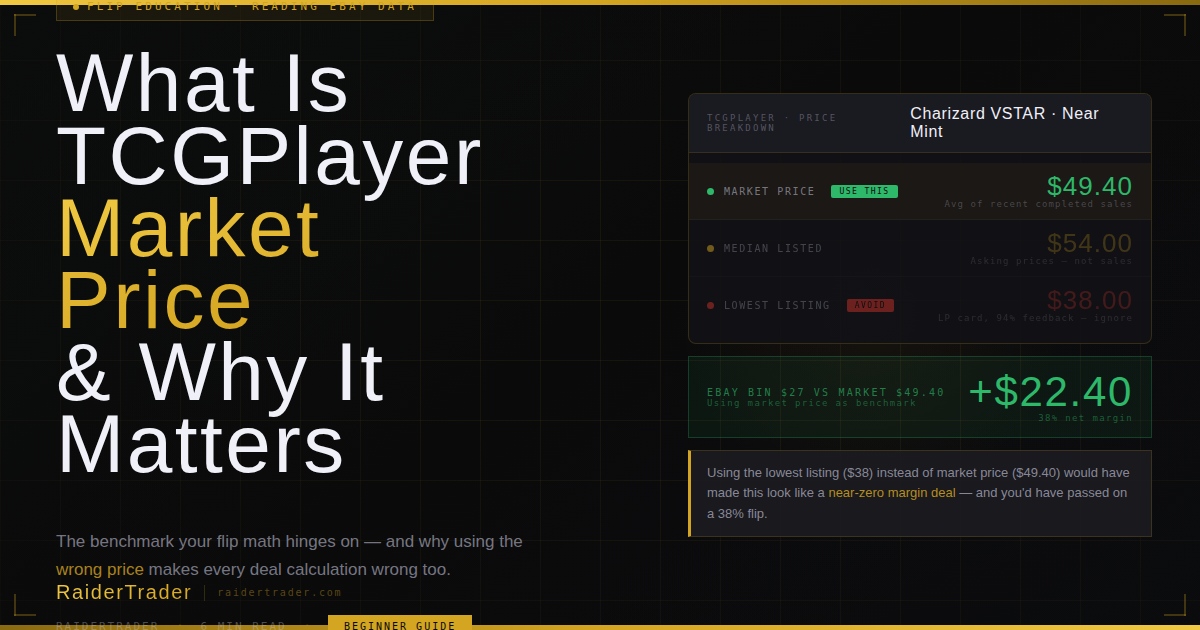
When you look up a card on TCGPlayer, you’ll see multiple price points. Here’s what they each represent and when — if ever — they’re useful for flipping:
Why the Lowest Listing Will Get You Burned
This is the most common mistake beginners make. They see a card on eBay for $35, check TCGPlayer, see someone listing at $28, and think they found a bad deal. But that $28 listing might be Lightly Played or Moderately Played. It might be from a seller with terrible feedback. It might have been sitting there for four months with zero buyers.
The lowest listing is the price nobody is actually paying. It’s the floor that the market has rejected. Using it as your benchmark will cause you to undervalue cards constantly and miss deals that are sitting right in front of you.
Charizard VSTAR (Silver Tempest, Near Mint) — TCGPlayer market price: $49.40. Lowest listing on TCGPlayer: $38 (Lightly Played, from a seller with 94% feedback). If you used $38 as your benchmark, an eBay listing at $35 looks like a terrible deal. If you use $49.40, it’s a strong flip with a 38% margin.
Market Price vs Median — What’s the Difference?
Median price shows the midpoint of all active listings — the price where half of sellers are listing higher and half are listing lower. It sounds reasonable, but it has a critical flaw: it’s based on what people are asking, not what’s actually selling.
Sellers can list a card at any price they want. Some overprice by 40% and sit there for months. Those inflated listings pull the median up, making cards look more valuable than they are. Market price strips all of that out — it only counts completed sales where a real buyer paid a real price.
Median price measures seller optimism. Market price measures buyer reality. For flipping, you only care about buyer reality.
That said, median price isn’t useless. If market price and median price are far apart — say market is $45 and median is $65 — that’s a signal that sellers are overpricing relative to where buyers are transacting. Which means the market price might be right and the card is harder to sell than the listings suggest. Worth knowing.
One More Thing: Condition Always Matters
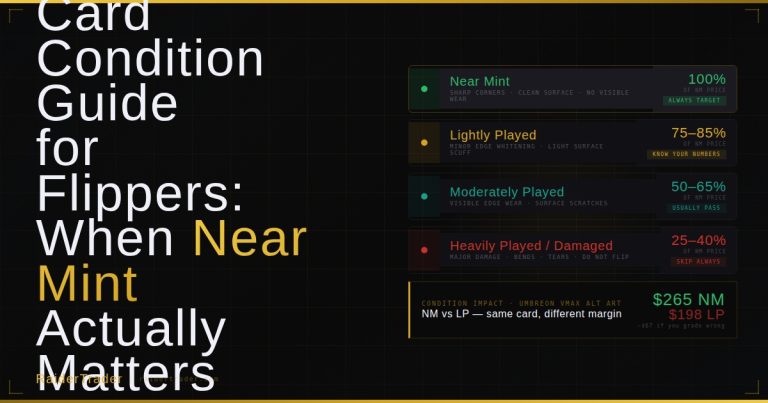
TCGPlayer market price is specific to condition. Near Mint (NM) has its own market price. Lightly Played (LP) has a different one. Moderately Played (MP) has another. They’re not the same card for pricing purposes, and the gap between NM and LP on a high-value Alt Art can be $30 or more.
When you’re looking at an eBay listing, always check whether the photos show any edge wear, whitening, or surface scratches before assuming you’re buying NM. Most casual sellers don’t grade accurately. If something looks LP in the photos, price it as LP when you’re calculating your margin — not NM.
How RaiderTrader Uses Market Price
Every deal in the RaiderTrader feed is benchmarked against the TCGPlayer Near Mint market price for that specific card. We pull it live and compare it to the eBay Buy It Now listing price to calculate the raw spread. Then we subtract estimated fees on both ends to get the net margin.
We never use the lowest listing or median as the target sell price. We use market price because that’s where the actual market is. If your benchmark is inflated, your margins look better than they are and you end up buying cards that don’t move at the price you expected.
Using market price as your sell target is conservative — you might actually sell for slightly more if you list competitively and time it right. But it’s the right benchmark because it’s defensible. If your flip math works at market price, the deal works. If it only works if you assume you’ll beat market price, it might not.
How to Check Market Price Yourself
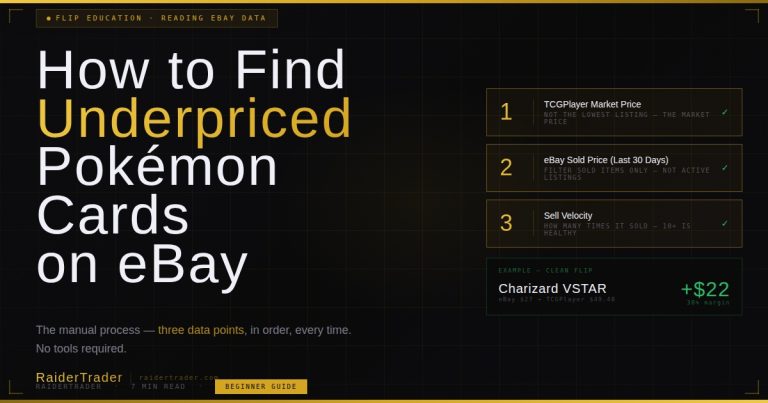
You don’t need RaiderTrader to look up market price — TCGPlayer shows it right on every card page. Here’s the fastest way to find it:
-
1Go to TCGPlayer.com and search the card nameBe specific — include the set name if it’s been printed in multiple sets. Search “Charizard VSTAR Silver Tempest” not just “Charizard VSTAR.”
-
2Select the correct set and card numberClick through to the specific card. Make sure you’re on the right version — a Charizard VSTAR has multiple printings with very different values.
-
3Set the condition to Near MintThe default view is usually NM, but double-check the condition selector. Always benchmark NM to NM. If your eBay listing is LP, switch to LP on TCGPlayer for an accurate comparison.
-
4Find the Market Price — not the lowest listingMarket price appears in the pricing summary at the top of the page. It’s usually labeled clearly. This is the number you use. Ignore the individual seller listings below it.
-
5Check the price history tabTCGPlayer shows a price history chart. A card trending up over 30 days is a better buy than one trending flat or down — even if the current market price looks identical.
Common Questions
Qualifying Deals
Every deal in the RaiderTrader feed is already benchmarked against live TCGPlayer market price. The math is done — you just decide whether to act.
View Live Deals → Free tier available · Pro from $9/month · No credit card to start